
Beginner's Guide to Lutron Caseta Smart Lighting
Upgrade Your Home with Lutron Caséta: The Ultimate Beginner’s Guide Tired of unreliable smart bulbs? Discover why Lutron Caséta is the gold standard for smart lighting. This guide breaks down everything you need to get started—from the rock-solid Smart Hub and the stylish new Diva dimmers to the versatile Pico remotes that let you add a switch anywhere without pulling a single wire. Whether you live in a brand-new build or a historic home without neutral wires, learn how to automate your lights, enhance your home security, and control it all with just your voice.
2/2/20263 min read
The Beginner’s Guide to Lutron Caséta Smart Lighting
Lutron Caséta is a smart lighting system that lets you control your lights and shades from your phone, your voice, or a wireless Pico remote. Unlike many smart bulbs that rely on Wi-Fi, Caséta uses its own "Clear Connect" wireless technology. This means your lights will always work quickly and reliably, even if your home Wi-Fi is acting up or bogged down by other devices.
The Brains of the Operation: The Smart Hub
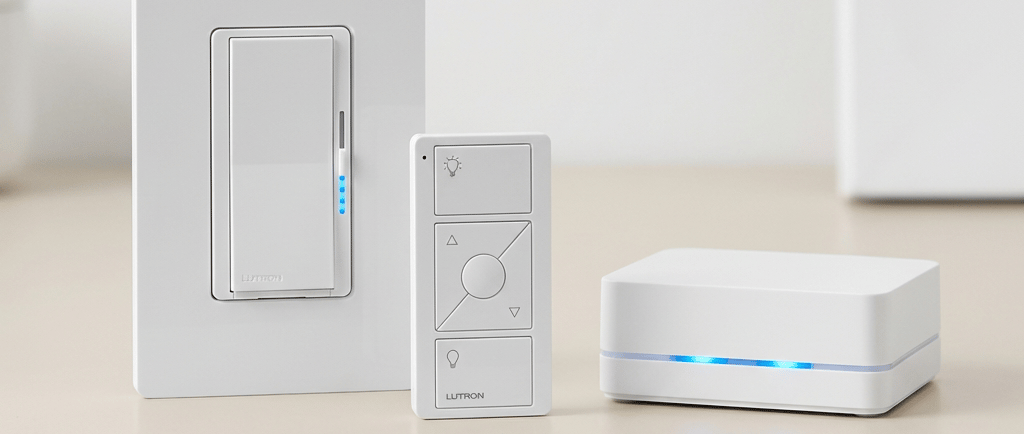
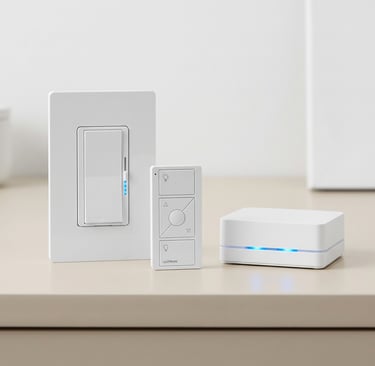
To get started, you need a Caséta Smart Hub. This small box plugs directly into your internet router with an ethernet cable. It acts as the translator between your phone and your light switches.
Capacity: One hub can handle up to 75 devices (switches, Pico remotes, and shades).
Standard vs. PRO: Most people only need the standard hub. The PRO version is only necessary if you have high-end motorized shades (like Sivoia QS) or a professional security system you want to link.
Reliability: Because the hub talks directly to the switches, your automated schedules will still run even if your internet goes out.
Choosing Your Switches
Caséta replaces the actual switch in your wall. This is better than smart bulbs because the "smart" part is always powered on, even if someone flips the physical switch.
1. Dimmers (For adjusting brightness)
The Diva Smart Dimmer: This is the most popular choice. It looks like a modern "paddle" switch with a small slider on the side. It works in almost any home because it does not require a neutral wire (common in older houses). The Diva Caseta dimmer also has advanced features that the original Caseta dimmer doesn’t have.
The Original Dimmer: This has a classic four-button design (On, Off, Brighter, Dimmer). Like the Diva, it works in older homes without extra wiring.
ELV+ Dimmers: These are specialty switches for high-end LED fixtures or track lighting that might flicker on standard dimmers. These do require a neutral wire.
Plug-In Lamp Dimmer: This unit simply plugs into any outlet and allows you to control a table or floor lamp. It can handle up to 100watts of LED or 300 watts of incandescent lighting.
2. On/Off Switches (For non-dimming lights and fans)
Claro Smart Switch: A standard paddle switch for lights or ceiling fans. It requires a neutral wire.
Outdoor Smart Plug: A rugged, waterproof plug perfect for string lights on a patio or holiday decorations.
Wireless Remotes and Sensors
One of Caséta’s best features is the Pico Remote. It’s a tiny, battery-powered remote that looks like a light switch.
Add a Switch Anywhere: You can mount a Pico remote to any wall without cutting a hole or running wires. It’s the easiest way to add a "3-way" switch to a dark hallway or bedside.
Long Life: The battery in a Pico remote typically lasts 10 years.
Motion Sensors: You can add wireless motion sensors that turn lights on when you walk into a room (like a laundry room or garage) and off when you leave.
Smart Features You’ll Actually Use
Once your system is set up in the Lutron App, you can do more than just turn lights on and off:
Scheduling: Set your porch lights to turn on at sunset and off at sunrise or a specific time. The system automatically adjusts for Daylight Savings.
Smart Away: When you’re on vacation, the system can randomly turn lights on and off in the evening to make it look like someone is home.
Geofencing: The app can sense when you pull into the driveway and automatically turn on the entryway lights for you.
Voice Control: It works perfectly with Amazon Alexa, Apple Home, and Google Assistant.
Pro-Tips for Installation
Range: The hub covers about 30 feet through walls. If you have a large home, you can add one range extender (a lamp dimmer) and one repeater to more than double your coverage.
3-Way Switches: If you have two switches controlling one light, the easiest way to make it "smart" is to replace one switch with a Caséta Dimmer and the other with a Pico Remote.
Moving Out: If you sell your home, just hold the button on the hub for 20 seconds to reset it. This wipes your personal data so the new owner can set up their own account.
Shop the Lutron Caséta Collection
Ready to upgrade your home? You can find all the components mentioned in this guide on Amazon:
The Essentials: Lutron Caséta Smart Hub and Dimmer Starter Kit
Dimmers: Diva Smart Dimmer | Original Caséta Dimmer | ELV+ Specialty Dimmer
Switches & Plugs: Claro Smart Switch | Plug-In Lamp Dimmer | Outdoor Smart Plug
Remotes & Sensors: Pico Remote Control | Caséta Wireless Motion Sensor